
TL;DR:
- The Monday Trap: You pay a "visual tax." The 3-seat minimum means solopreneurs pay 300% more than necessary. Automation is gated behind expensive tiers (0 automations on Basic).
- The ClickUp Trap: It is a "feature landfill." You get everything (Whiteboards, Docs, Chat), but the learning curve requires a dedicated systems architect.
- The Verdict: Buy Monday if you need adoption by Friday and have a budget. Buy ClickUp if you want to save $280k/year by firing Slack, Jira, and Notion.
The "All-in-One" Lie
Let’s be honest: You aren't looking for project management software. You are looking for a way to stop your staff from slacking off on Slack.
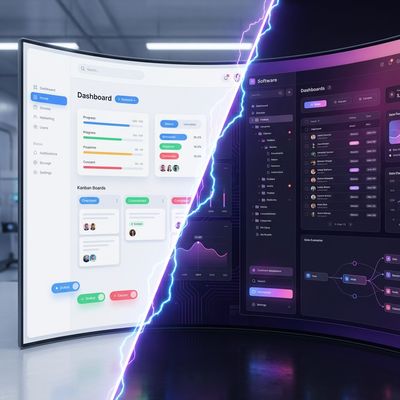
In 2026, the PM market is a duopoly of pain. You have Monday.com, the Apple of SaaS—beautiful, expensive, and restrictive. Then you have ClickUp, the Android custom ROM—messy, infinitely powerful, and occasionally broken.
We audited both platforms for 2026. We didn't just read the marketing pages; we looked at the API limits, the hidden enterprise gates, and the migration nightmares. Here is the cold, hard truth.
The Pricing Audit: The "Pretty Interface" Tax
Monday.com wins on one metric: Dopamine. You can throw a marketing intern into Monday, and they will have a colorful board running in 10 minutes. It feels good. It looks like work is happening.
The Monday.com Trap: Monday.com’s pricing is predatory for small teams. They enforce a strict 3-seat minimum.
- Scenario: You are a solopreneur or a duo.
- The Cost: You cannot buy 1 seat. You must buy 3.
- The Result: You are effectively paying ~$36-$60/month just to manage your own tasks.
The ClickUp Advantage: ClickUp charges per user, per month. No minimums.
- Scenario: You are a solopreneur.
- The Cost: $7-$12/month.
- The Result: You save ~70% immediately compared to Monday.
The "Hidden" Technical Limits (Automation Caps)
This is where they get you. You buy the software to save time, but they charge you extra to actually save it.
Monday’s Automation Gate: If you buy Monday’s "Basic" plan ($9-12/user), you get ZERO automations. None. You cannot even set a rule that says "When Status = Done, Archive Task." To get automations, you must upgrade to "Standard," and even then, you are capped at 250 actions per month. A busy team of 5 will burn through that in week one.
ClickUp’s Generosity: ClickUp’s "Unlimited" plan (the cheap one) includes 1,000 automations per month. Their Business plan bumps this to 10,000.
- The Reality: ClickUp lets you build complex workflows (If X happens, then Y and Z, but only if User A is assigned) without forcing you onto an Enterprise contract.
Comparison: The Feature vs. Cost Matrix
We ran the numbers for a standard 10-person team in Jan 2026.
| Feature | ClickUp (Business) | Monday.com (Pro) | The Winner |
|---|---|---|---|
| Annual Cost (10 Users) | ~$1,440 | ~$2,280 | ClickUp (Save ~$800) |
| Minimum Seats | None | 3 Seats | ClickUp (Solopreneur friendly) |
| Automation Limit | 10,000 / mo | 25,000 / mo | Monday (If you pay for Pro) |
| Gantt Charts | Included in Free | Gated (Standard Plan) | ClickUp |
| Time Tracking | Native (All Plans) | Gated (Pro Plan) | ClickUp |
| Learning Curve | Vertical Wall | Plug & Play | Monday |
| Mobile App | Dense/Slow | Fast/Clean | Monday |
| Customer Support | Email (Slow) | Live Chat (Fast) | Monday |
The Mobile Reality: Pocket Bloat vs. Quick Glances
Monday.com Mobile App: It’s actually good. It’s a "companion" app. You go in, check a status, reply to a comment, and get out. It loads fast because it doesn't try to do everything.
ClickUp Mobile App: ClickUp tries to cram the entire desktop experience into your phone. It’s heavy. Viewing a Gantt chart on an iPhone is a miserable experience. If your field staff needs to input complex data on the go, they will hate you for choosing ClickUp.
The "Hotel California" Effect: Migration Nightmares
Thinking of switching? Be careful.
Migrating from Monday to ClickUp: This is "doable but painful." Monday’s API is restrictive.
- What breaks: "Info-boxes" (Monday's sticky notes on tasks) often don't export cleanly. Monday's proprietary "Workdocs" do not convert to ClickUp Docs; they turn into PDFs or dead links.
- The Fix: You will need to use a CSV export and manually rebuild your relational columns.
Migrating from ClickUp to Monday: This is nearly impossible without data loss. ClickUp’s "Nested Subtasks" (layers 3, 4, 5 deep) do not fit into Monday’s flat "Item -> Subitem" structure. You will lose all that depth.
The "Agentic AI" Factor (2026 Update)
Both platforms are racing to replace your Project Manager with AI.
ClickUp Brain: This is a "Knowledge Manager." It indexes everything—your tasks, your Google Docs, your connected Jira tickets.
- Use Case: "What did Ankit work on last week regarding the Nepal construction project?"
- Result: It scans comments, docs, and task statuses to give you a summary. It is a surveillance tool disguised as a helper.
Monday AI: This is a "Task Doer." It focuses on generative text.
- Use Case: "Draft an email update to the client based on this board."
- Result: It writes a polite email. It helps you do the work, whereas ClickUp helps you find the work.
For more on how AI is shifting the landscape, read our Agentic AI Forecast.
Critical Legal & Compliance Notes
Data Residency: If you are in the EU or dealing with strict data laws (GDPR):
- Monday: Often locks specific EU data residency behind the Enterprise tier.
- ClickUp: Generally offers more flexibility on lower tiers, but always check their latest Trust Center updates.
HIPAA: Both claim HIPAA compliance, but ClickUp makes it easier to enable on the Business plan without talking to a sales rep.
Expanded FAQ: The Questions They Hide
Q: Is Monday's "Free Plan" usable? A: No. It is limited to 2 users and, crucially, doesn't allow automations or integrations. It is a glorified Excel sheet. ClickUp’s free plan is genuinely usable for small businesses.
Q: Why is Monday so expensive? A: You are paying for "User Adoption." Monday bets that if the software is pretty, your team will actually use it. If you buy ClickUp and nobody logs in because it’s too complex, you wasted $0, but you also got 0 value. Monday charges a premium for usability.
Q: Does ClickUp really replace Slack? A: They want to. Their "Chat" view is robust, but it lacks the fluidity of Slack. We recommend keeping Slack for culture and using ClickUp Chat strictly for "Task-based" discussions to keep the noise down.
Q: Can I use ClickUp for a CRM? A: Yes, but it requires setup. You have to build the "CRM" yourself using Custom Fields. Monday has a dedicated "Monday Sales CRM" product that works out of the box (for an extra fee, of course).
Q: Which one is better for Developers? A: ClickUp. It has native Sprint features, Git integrations, and deep subtask nesting that devs need. Monday is too flat for complex software engineering lifecycles.
Q: Which one is better for Agencies? A: Monday. Clients love looking at Monday dashboards. They are pretty and easy to understand. ClickUp dashboards look like the cockpit of a 747 and scare clients away.
Q: What is the "Integration Tax"? A: Monday often requires "Zapier" or "Make" to do things ClickUp does natively. This adds another subscription cost to your stack. ClickUp tries to build everything in-house.
The Verdict
Choose Monday.com if:
- Speed is everything: You need the team using it by Friday.
- You have non-techies: HR, Marketing, and Sales teams prefer the visual grids.
- You have budget: You don't mind the 3-seat minimum or the automation caps.
Choose ClickUp if:
- Value is everything: You want the most features per dollar.
- You are a Solopreneur: You refuse to pay for 3 seats when you are 1 person.
- You are technical: You want to customize every pixel of your workflow and replace Jira/Slack/Notion.